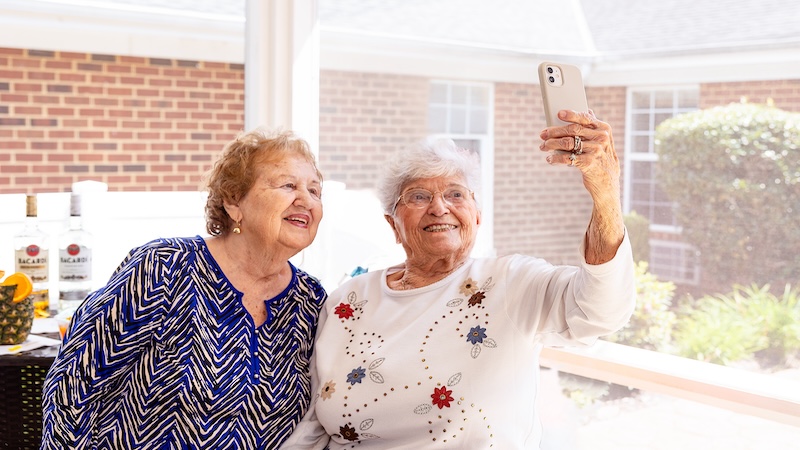
The right smartphone can serve as a connection tool, reminder system, health organizer, magnifier, navigation aid, entertainment device, and safety backup – in one pocket-sized package. Seniors may not need the newest or most expensive phone, but smartphone features for seniors can make daily life easier, safer, and less frustrating.
Features and benefits of smartphones for seniors
For seniors aging in place, living independently, or simply wanting to stay better connected and safe, today’s smartphones offer several important features.
Accessibility features that make phones easier to use
If a screen is too small, text is hard to read, buttons are difficult to use, or the menus feel confusing, users can tire of using a smartphone, negating the benefits.
Fortunately, modern smartphones include built-in accessibility settings. Depending on the phone, users may be able to enlarge text, increase contrast, magnify the screen, use voice commands, turn on captions, adjust hearing-aid settings, or simplify the home screen.
- Apple offers iPhone users a wide range of accessibility tools, including display and text-size adjustments, Voice Control, Magnifier, AssistiveTouch, Live Captions, and hearing-related settings. Apple also offers Assistive Access, a simplified iPhone experience designed to make core features easier to use for people with cognitive disabilities.
- Samsung Galaxy phones offer similar adjustment tools, including font-size, screen zoom, color and contrast settings, magnification, hearing enhancements, and Easy Mode, which enlarges icons and fonts and simplifies the home screen.
- Google Pixel phones also include common Android accessibility features such as larger text, magnification, voice access, Live Caption, hearing-aid support, and screen-reading tools.
The default setup isn’t usually ideal for seniors. A few minutes spent adjusting text size, icon layout, sound, notifications, and accessibility shortcuts can make a phone more senior-friendly.
Community connections
 Smartphones can help seniors stay engaged with their communities and interests. At Commonwealth Senior Living, tools such as TSOLife support meaningful connections by helping create personalized experiences based on residents’ unique backgrounds, hobbies, and preferences. Combined with the communication and accessibility features of today’s smartphones, these innovations can help older adults remain connected to loved ones and the activities they enjoy.
Emergency features to bring help faster
A phone cannot prevent every emergency, but it can make help easier to reach.
Most modern smartphones include emergency calling features that can be accessed quickly, even from the lock screen. Users can also set emergency contacts, share location information, and store key medical details that may help first responders or health care providers.
- On iPhone, the Medical ID feature allows users to store information such as medical conditions, allergies, medications, blood type, and emergency contacts.
- Android phones offer similar emergency information features. The exact setup varies by device.
For older adults who live alone, spend time outdoors, drive, travel, or have chronic health conditions, these settings are worth completing before an emergency happens.
Health, medication, and appointment reminders
Smartphones can also help older adults manage daily routines. Calendar alerts, medication reminders, health apps, and pharmacy apps can reduce the chances of missing a dose, forgetting an appointment, or overlooking an important task.
Some people use the phone’s built-in reminder or calendar app. Others prefer medication-specific apps that allow them to enter prescriptions, dosage times, refill dates, and caregiver notifications.
Security features
Not only do smartphones contain abundant personal information, they can provide another outlet for scammers to reach victims.
To protect personal information, phones should be kept up to date, protected with a passcode, and set to use facial recognition or fingerprint recognition when available.
- iPhones receive regular iOS updates.
- Google Pixel phones receive updates directly from Google, with newer models offering years of operating system and security support.
- Samsung provides regular security updates for many Galaxy phones, though support length can vary by model.
Unwanted calls are annoying as well as potentially financially and emotionally dangerous. Some smartphones now include tools that help identify, silence, or screen suspicious calls.
No phone can protect users from every scam, but a well-maintained phone with current software, strong passwords, and cautious habits can reduce risk.
Users should also learn how to recognize scams, which often come in the form of messages that pressure them to act quickly, sent through texts, fake delivery alerts, and scam calls.
Voice control and dictation
For people who find typing difficult, voice tools can make a smartphone much easier to use. Voice dictation can help with text messages, notes, searches, and reminders. Voice assistants can also help users place calls, set timers, ask for directions, check the weather, or open apps.
This can be especially helpful for people with arthritis, tremors, low vision, or limited dexterity. It can also help those who are comfortable speaking but less comfortable navigating small screens.
Compatibility with family and caregivers
A phone is often easier to use when it matches the technology already used by close family members or caregivers. If most family members use iPhones, choosing an iPhone may make it easier to share photos, use FaceTime, troubleshoot problems, and connect with Apple Watch features. If family members use Android phones, a Samsung Galaxy or Google Pixel may be more familiar.
Compatibility can also matter for shared calendars, location sharing, photo albums, video calls, health sharing, and caregiver support. The “right” phone is not always the one with the longest list of features. It is the one that the senior and the people helping them can actually use comfortably.
What about simplified phones?
Some older adults may prefer a simplified phone designed specifically for seniors, such as a Jitterbug phone from Lively. These phones typically emphasize larger text, simpler menus, loud speakers, and optional emergency-response services.
However, active older adults who want added features such as apps, maps, video calls, patient portals, ride-sharing, and banking may prefer a standard iPhone, Samsung Galaxy, or Google Pixel.
The bottom line
A smartphone can help older adults stay connected, organized, safer, and more independent, but only if it is set up in a way that works for them. The best smartphone setup is the one that reduces frustration, supports daily routines, and helps older adults stay connected to the people and information they need most.
FEATURE IMAGE, TOP: Smartphone features for seniors can be fun and entertaining as well as useful. Credit: Commonwealth Senior Living