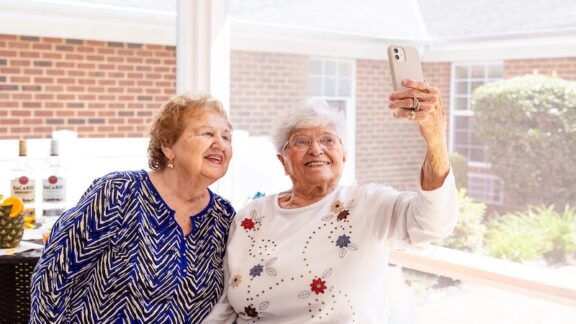
Today’s smartphones can do far more than make phone calls. They can help older adults stay connected with family, manage medications, monitor health, access transportation, and even summon help in an emergency. But when choosing a smartphone, seniors should consider more than just the latest features.
The best smartphones for seniors combine three key qualities: accessibility, user-friendliness, and security.
What to look for in a senior-friendly smartphone
- Accessibility features can make a phone easier to see, hear, and operate. Look for options such as larger text, screen magnification, voice controls, hearing-aid compatibility, and captioning.
- User-friendliness is equally important. A phone should be intuitive and easy to navigate, especially for those who aren’t particularly tech-savvy.
- Finally, security matters. Smartphones contain personal information, financial accounts, photos, and health data. A secure device can help protect users from hackers, malware, and other online threats.
Top options for the best smartphones for seniors
Here are some of the best options available today.
Apple iPhone: Best overall for many seniors
Many older adults find the iPhone to be the easiest smartphone to use. Because Apple designs both the hardware and software, the experience is consistent and straightforward.
Accessibility
The iPhone includes extensive accessibility tools, including:
- Adjustable text size and display scaling
- Magnifier
- Voice Control
- Live Captions
- Hearing-aid compatibility
- AssistiveTouch for users with limited dexterity
For those who also wear an Apple Watch, features such as Fall Detection and Emergency SOS can provide additional peace of mind.
Ease of use
Apple’s simple interface and consistent design make it easy for users to learn and remember. Family members who also use iPhones may find it easier to provide support and troubleshooting.
Security
The iPhone is widely regarded as one of the most secure smartphones available. Apple provides regular security updates, screens apps before they appear in the App Store, and offers strong privacy protections.
Best for: Seniors seeking a simple, highly secure phone with excellent accessibility features.
Samsung Galaxy: Best Android choice for seniors
Samsung Galaxy phones offer many of the same capabilities as the iPhone while providing additional customization options.
Accessibility
Samsung has some of the most robust accessibility features available, including:
- Large text and display zoom
- High-contrast themes
- Hearing enhancements
- Magnification tools
- Voice assistance
One standout feature is Easy Mode, which enlarges icons and simplifies the home screen, making the phone easier to navigate.
Ease of use
Easy Mode makes Samsung phones particularly appealing to seniors who want an Android device without a steep learning curve.
Security
Samsung provides regular security updates and includes security tools designed to protect users from malware and unauthorized access.
Best for: Seniors who prefer Android and want extensive accessibility options, especially Easy Mode.
Google Pixel: Best for smart features
Google’s Pixel phones are known for their clean design and advanced software features.
Accessibility
Pixel phones include:
- Large text and display settings
- Magnification
- Live Caption
- Voice typing and dictation
- Hearing-aid support
Ease of use
Google’s interface is clean and uncluttered. Voice commands and dictation are particularly strong, making the phone easier to use for those who prefer speaking rather than typing.
Security
Pixel devices receive security updates directly from Google and are considered among the most secure Android phones available.
Helpful extras
Pixel phones also offer features such as call screening, which can help reduce unwanted spam and scam calls.
Best for: Seniors who want a secure Android phone with advanced voice and AI-powered features.
What about simplified phones?
Some older adults may prefer a phone designed specifically for seniors.
The Jitterbug line of phones, for example, offers simplified interfaces, larger text, and emergency response services. While these devices can be excellent choices for some users, many active older adults find that modern smartphones provide greater flexibility without being significantly more difficult to use.
The bottom line
The best smartphone for a senior depends on individual needs and preferences. For overall ease of use and security, the iPhone remains a top choice. Samsung Galaxy phones offer excellent accessibility features and customization, while Google Pixel phones stand out for security and voice-powered convenience.
Whichever phone you choose, be sure to take advantage of built-in accessibility settings such as larger text, screen magnification, voice controls, and hearing assistance. These features can make a smartphone easier and more enjoyable to use while helping older adults stay connected, independent, and safe.
Created with assistance from ChatGPT.