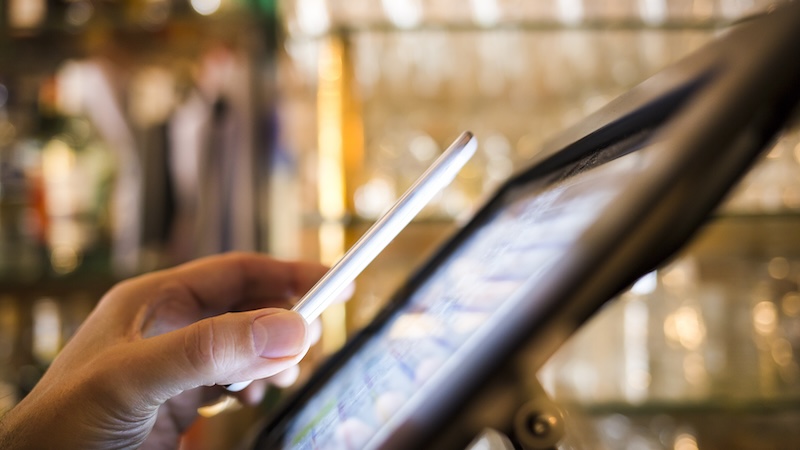
With a digital wallet on your smartphone, you can use your credit and debit cards with a tap of the phone – no need to carry your cards or worry they might be stolen. Beth Braverman offers a simple overview of using a digital wallet, a useful technology for seniors and others.
Mobile wallets, which allow you to store debit and credit cards on your smartphone and pay for items with a single tap, are no longer just convenient. They’re fast becoming the go-to method Americans use to pay for purchases in stores and online.
Nearly two in three Americans have now used a mobile wallet to make a purchase, including 60% of Gen Xers and 30% of baby boomers, LendingTree reports. Overall, use of digital wallets has nearly tripled in recent years, from an average of four payments made a month via mobile devices in 2018 to 11 a month in 2024, according to a Federal Reserve study last year.
The most compelling reason to use a digital wallet: It’s safer than paying with a physical card. If crooks get their hands on a phone that’s secured with a PIN – or better yet, biometric authentication such as a fingerprint or face scan – they’ll have more trouble using it. Plus, mobile wallets use tokenization technology, which means a merchant (as well as a potential identity thief) sees only a virtual one-time token, rather than your card number.
“Even if there is some kind of compromise on that point-of-sale machine or somewhere down the line, your card data and information isn’t compromised,” says Eva Velasquez, CEO of the Identity Theft Resource Center.
Steps in using a digital wallet
To get started using a digital wallet and make the most of the technology, experts recommend these steps.
Use your phone’s built-in wallet.
Many retailers and brands now let you upload your debit and credit card info to their app and make digital payments that way, but you’re better off limiting the number of mobile wallets that have your info. Instead, stick with the Apple Wallet or Google Wallet apps, which come preinstalled on iPhones and Androids, respectively. Both have strong, standardized security and better integration with device security than some other apps, Velasquez says.
Add your loyalty cards.
Retailers often allow you to upload your loyalty-program info to your digital wallet by tapping the “add to digital wallet” button in their app, clicking an email link, or scanning the physical card.
“That adds a lot of convenience because you’re not carrying around this thick, physical wallet full of loyalty cards, credit cards, and your debit card,” says Sara Rathner, a credit cards expert with NerdWallet.
A bonus: Some retail loyalty programs will also send you push notifications for special offers and discounts when you’re in or near a store where you have an account.
Watch for mobile-specific credit card rewards.
In most cases, using your rewards credit card in your mobile wallet will net you the same rewards as you’d get with the plastic version. But some issuers offer specific incentives for using their cards via a mobile wallet. The Kroger Rewards World Elite Mastercard pays 5% cash back on the first $3,000 in purchases through a mobile wallet and 2% after that. Last year, American Express ran a promotion offering cardholders a $5 statement credit for each of their first three purchases made via Apple Wallet.
Enable transaction alerts.
The downside of mobile wallets making it easier to buy stuff? It can also be easy to blow through your budget. One-third of mobile wallet users told LendingTree that they spend more when buying items with their phones than when they use a physical card.
One fix: Sign up for transaction alerts for all your mobile purchases, when asked. This will not only give you an early warning system for fraudulent charges, but it may also make you more mindful of how much you’re spending, says Matt Schulz, chief consumer finance analyst with LendingTree.
Choose your default card carefully.
The first card you add to your digital wallet is the one automatically charged unless you select another card for a specific purchase. But you can designate a different card as your default.
“If you want to control your spending, you can put a single debit card in your mobile wallet and leave all your other cards out,” Schulz says. “Or, if you are focused on rewards, lead with your favorite rewards credit card and go from there.”
Beth Braverman is a contributing writer at Kiplinger Personal Finance magazine. For more on this and similar money topics, visit Kiplinger.com.
©2026 The Kiplinger Washington Editors, Inc. Distributed by Tribune Content Agency, LLC.